
How to Track Calories on iPhone: A Practical Guide
Learn how to track calories on your iPhone: log meals by photo, text or voice, read Apple Health correctly, and keep your numbers consistent week to week.
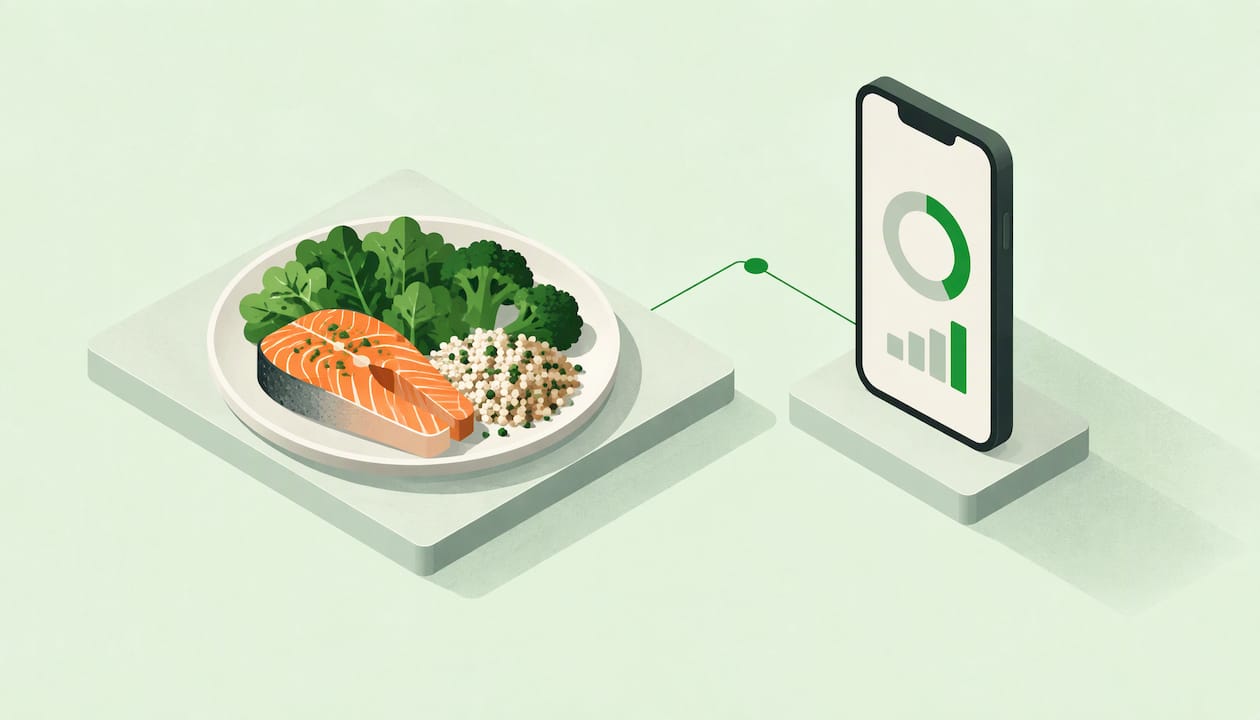
To track calories on an iPhone, you need two things: a way to log what you eat and a way to see what you burn. Apple Health and an Apple Watch cover the second part. For the first, you need a food-logging app, because Health does not work out the calories in your meals by itself. Pick an app that lets you log by photo, typing or voice, set a daily target, and check your averages once a week.
This guide walks through each step. You will see how to set up, how to log faster, how to read the calorie numbers Apple shows, and how to keep the habit going without aiming for perfect days.
TL;DR
- Apple Health tracks movement and activity automatically. Food calories come from a logging app that you connect to it or use alongside it.
- Photo, typed and voice logging all work. The fastest method is the one you will actually use at the next meal.
- Portion size is where most estimates drift, so use depth sensing, a quick correction or a known serving whenever you can.
- Look at weekly averages instead of single days. One heavy dinner does not undo a good week.
- Active calories show in the Activity and Fitness apps. If they are missing, check Fitness Tracking and your data source order.
Table of Contents
- What your iPhone does on its own, and what it doesn’t
- Step 1: Set up your profile and a daily target
- Step 2: Choose how you log meals
- Step 3: Get portions closer to reality
- How accurate are photo, voice and wearable estimates?
- How to see calories burned on iPhone and Apple Watch
- Why calories aren’t showing in Apple Health
- Step 4: Make the habit stick
- Our perspective
- Try it with VeriTrack
- A simple first-week plan
- FAQ
- Sources
What your iPhone does on its own, and what it doesn’t
Your iPhone is good at measuring movement. Apple’s Health app counts steps and walking and running distance automatically, and with an Apple Watch it also tracks Activity data. You can add information to a Health category yourself, or let compatible apps and devices send data in.
What it does not do is look at your lunch and tell you the calories. That part needs an app. Think of the setup as two halves of an energy balance:
- Calories in: what you eat and drink, logged in a food app.
- Calories out: what your body burns, estimated from your profile and your activity.
You do not need to be exact on either side. You need to be consistent enough that the trend tells you something. That idea sits behind everything below, and we cover it in more depth in why calorie tracking works even when you don’t do it perfectly.
Step 1: Set up your profile and a daily target
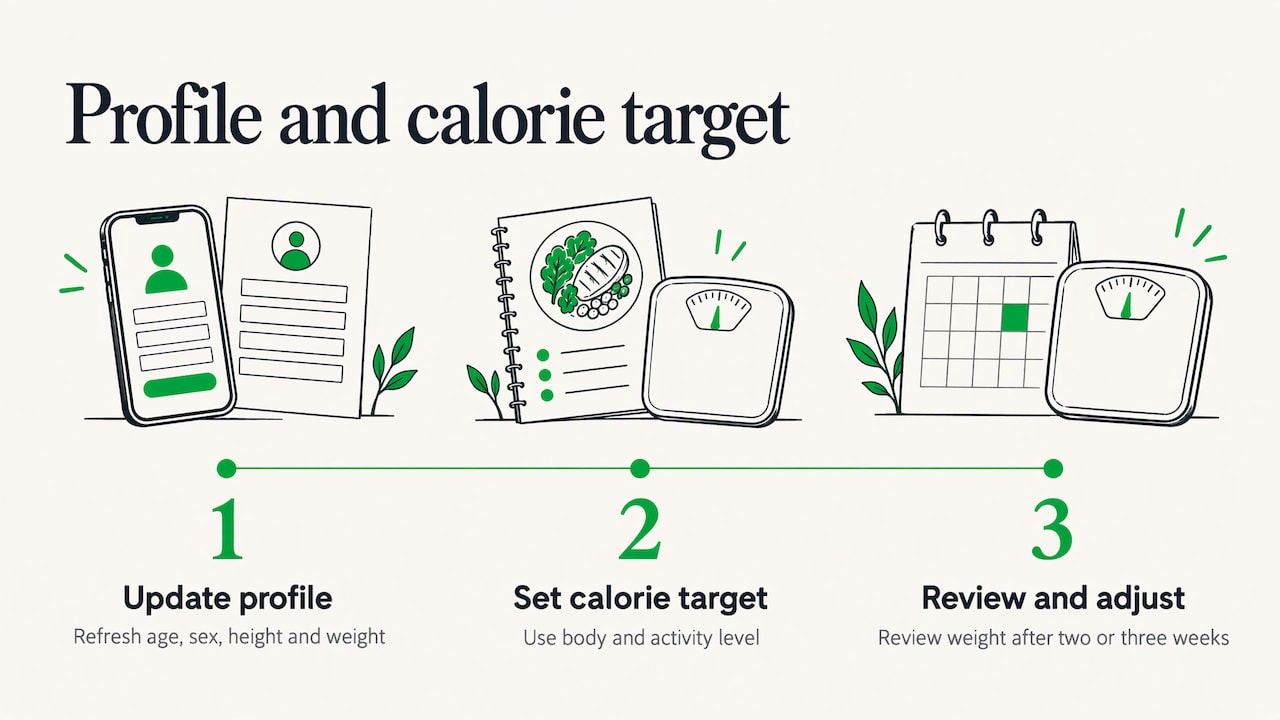
Before you log a single meal, get your basics right. Your age, sex, height and weight drive the estimate of how much energy you burn at rest. iPhone Life notes that keeping this information current in your Health profile is essential for an accurate BMR calculation. If you changed weight or had a birthday since you set it up, update it now.
Then choose a daily calorie target. A good app builds one from your body and activity level. If you want a second opinion, the Center for Science in the Public Interest points readers to the NIH Body Weight Planner at niddk.nih.gov/bwp, which is based on work by NIH researcher Kevin Hall. CSPI suggests using it for a calorie budget rather than relying on a generic app equation.
Treat the first number as a starting point. After two or three weeks of logging, compare it with what your weight is doing and adjust.
Step 2: Choose how you log meals
Most people quit tracking because it takes too long. The fix is to match the method to the situation. A modern iPhone calorie app usually gives you three options.
Photo logging
Take a picture of the plate before you eat. The app identifies the foods and estimates the portions. This is the quickest option for meals that have several components, such as a grain bowl, a stir-fry or a sandwich with a side.
Photo logging gets better when the app can measure depth. VeriTrack uses the LiDAR sensor on supported iPhones to estimate how much food is on the plate, not just what it looks like from above. A heap of rice and a flat spoonful look similar in a flat image but not in a depth map.
Typed descriptions
Typing works well when you are at a desk or the meal is simple. “Two eggs, one slice of whole wheat toast, one teaspoon of butter” is enough. Be specific about amounts, and mention anything cooked in oil.
Voice entry
Voice is the best choice when your hands are busy or you are logging after the fact. Say what you ate and roughly how much: “a medium banana and a handful of almonds.” It takes about as long as saying it to a friend.
You can mix all three in one day. Photo at a restaurant, voice in the car, typed at your desk. The diary ends up in the same place.
Step 3: Get portions closer to reality
Identifying the food is the easy part. Portion size is where calorie logs drift. A splash of oil, a handful of nuts and a second helping all disappear from memory, and they add up.
A few habits help:
- Log right after eating, or before. Memory fades fast, especially for sauces and snacks.
- Use depth or a reference. If your app supports LiDAR, use it. If not, place a fork or your hand in the photo as a size cue.
- Check the assumptions. Good apps show what they assumed, such as the cooking method, the oil used or the weight of a serving. If the assumption is wrong, correct it. This takes seconds and makes that entry accurate.
- Pick checked food entries. CSPI advises choosing checked food items for more reliable numbers when an app offers a mix of verified and user-submitted data.
- Weigh the calorie-dense items. Oils, nut butters, cheese and dressings are small in volume and large in calories. If you only measure two things, measure those.
The point is not to turn every meal into a lab test. It is to catch the few items that make the biggest difference.
How accurate are photo, voice and wearable estimates?
Estimates are useful, and they are not perfect. A 2024 scoping review in JMIR covering 25 studies of AI dietary assessment reported food-detection accuracy from 74% to 99.85% and nutrient-estimation errors between 10% and 15%. One model that combined color and depth data reached a 15% mean absolute error in calorie estimation.
The same review concludes that AI brings real advantages in accuracy, less effort and real-time monitoring. It also notes that challenges remain across diverse food types. That matches daily experience: a clearly plated chicken and rice is easier to read than a layered casserole.
What this means for you:
- Expect a range, not a single true number.
- Correct the entries where you know better, such as a homemade dish whose ingredients you measured.
- Use the trend over days and weeks, where small errors in each direction tend to even out.
The wearable side has its own margin of error. iPhone Life says Apple Watch calorie measurements are fairly accurate in general, but the margin depends a lot on how well the watch fits. Wear it snugly, and keep your Health profile up to date.
How to see calories burned on iPhone and Apple Watch
Seeing the “out” side is simple once you know where to look.
- On Apple Watch: the Activity app’s Move section shows your active calories against your daily goal.
- On iPhone: total calories appear in the Fitness app, in the lower left corner of the Move section.
Active calories are what you burn through movement. Total calories add the energy your body uses just to stay alive. For comparing with food intake, many people use total calories, because your target already assumes a baseline. Whichever you choose, stay with it so your numbers are comparable from week to week.
Why calories aren’t showing in Apple Health
If the numbers look empty or wrong, work through this list.
Turn on Fitness Tracking
If Health is not tracking steps or other data, Apple says to turn on Fitness Tracking for your Apple Watch. In Health, tap Profile, then Devices, then your Apple Watch, then Privacy Settings, then Fitness Tracking.
Check your data source order
When several sources report the same kind of data, Health uses a priority list. Apple’s default order is data you enter manually first, then data from your iPhone, iPad and Apple Watch, then data from apps and Bluetooth devices. A new source goes to the top of the list, and you can reorder sources under Data Sources & Access.
Don’t expect the totals to match
The Active Calories total in Health may not equal the sum of its entries, because data from several sources can overlap. Cult of Mac explained back in 2015 that by default third-party app calories are left out of the total when an Apple Watch is present. The same article points out that the Move ring uses only Apple Watch data, while Health combines multiple sources with a priority system to avoid counting twice. That older article describes behavior that may have changed, so treat the Apple Support page above as the current reference for settings.
In short, a small gap between the Move ring and Health is normal. It does not mean something is broken.
Step 4: Make the habit stick
The best calorie tracker is the one you still use in month three. These habits make that more likely.
Aim for averages, not perfect days
CSPI recommends focusing on averages over time and notes that, over the long run, the most reliable method is to track what you eat and watch whether your weight changes. A day at 2,300 kcal when your target is 2,000 is just a data point. The week is what counts.
Log the boring meals too
You eat the same breakfast most days. Save it, or re-log it in one tap. The meals you can predict should cost you almost no effort, so that you have energy left for the unpredictable ones.
Use reminders gently
A reminder at your usual lunch or dinner time is enough. If an app nudges you more than that, turn it down. Tracking should support your routine, not nag you.
Pin what matters in Health
Apple’s Health app lets you pin the data most important to you on the Summary tab and see how it changes over time in Highlights. Pin calories and weight, and a quick look each morning will tell you whether you are on track.
Review once a week
Pick one day, say Sunday. Look at your average intake, your average activity and your weight trend. Ask one question: do I need to change anything? If the answer is no, carry on. If it is yes, change one thing, such as a breakfast portion or an evening snack.
Our perspective
Most calorie trackers give you a number and ask you to trust it. We think that is backward. A calorie estimate is only as good as its assumptions, and you should be able to see them.
That is why VeriTrack shows how it calculated each entry and labels what is an estimate. If it assumed a tablespoon of oil, you see that, and you can change it. If a portion looks off, you correct it and the log gets better. We also use LiDAR on supported iPhones to measure depth, because portion size is the hardest part of any food photo.
Our goal is not a perfect log. It is a log you understand and can rely on, built with a quick photo, a typed line or a spoken sentence. When you can see the uncertainty, you can work with it, and consistent tracking gets much easier.
Aliaksei
Try it with VeriTrack
If you want a calorie and macro tracker built for the iPhone, VeriTrack lets you photograph a meal, type it or say it. It estimates portions using USDA nutrition data, shows the assumptions behind each estimate, and lets you correct anything that looks wrong. It sets a daily target from your body and activity level, reads your data from Apple Health (read-only), and sends gentle reminders.
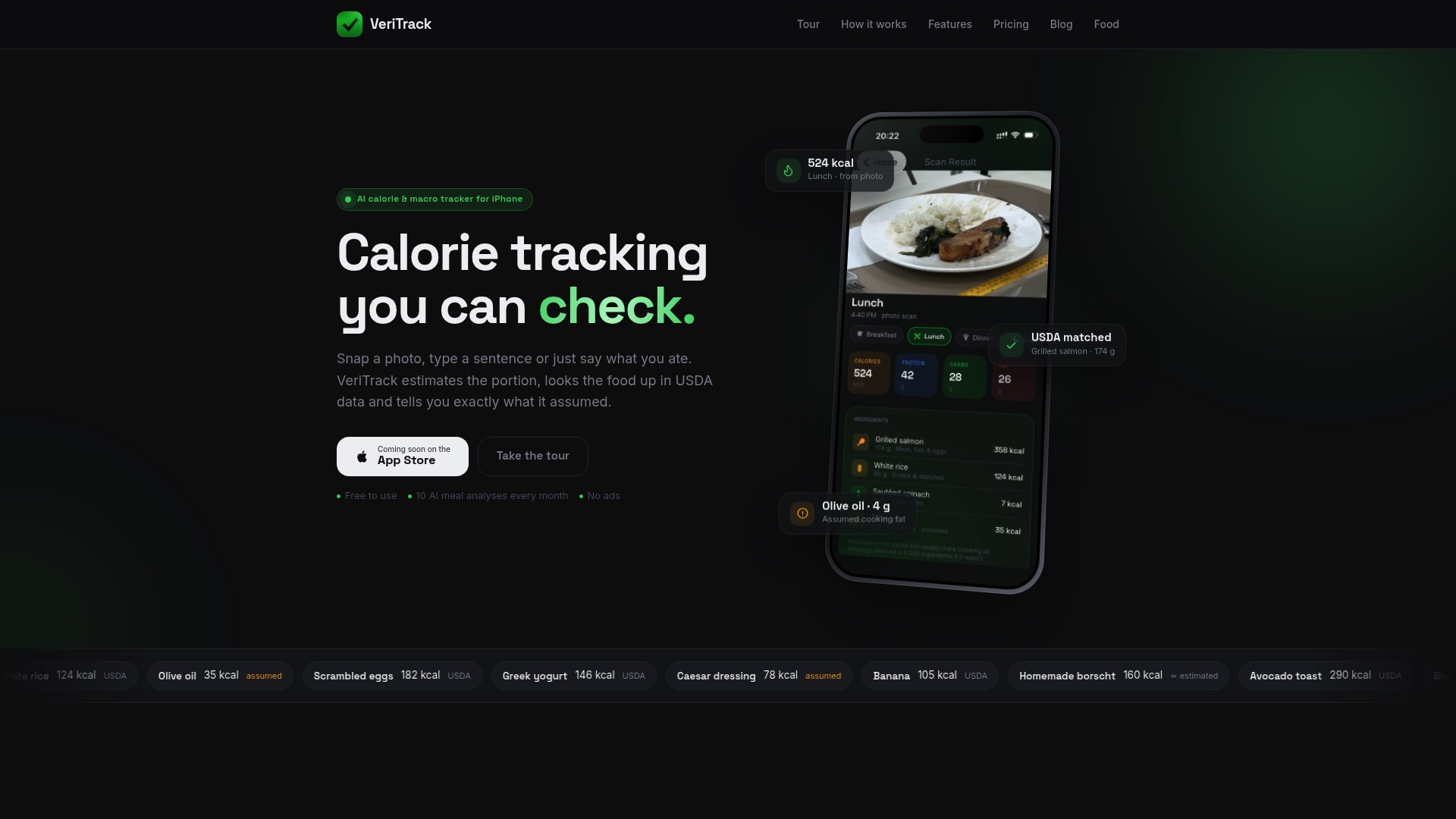
The free tier includes a limited number of AI meal analyses each month, and VeriTrack Premium unlocks unlimited analyses and the full feature set. You can also browse food and recipe ideas to plan your next meals.
A simple first-week plan
If you are starting from zero, keep the first week small.
- Day 1: Update your Health profile and set your daily target.
- Days 2 to 3: Log only dinner, by photo. Get used to checking the assumptions.
- Days 4 to 5: Add breakfast and lunch. Use voice for anything you forgot to photograph.
- Day 6: Log everything, including snacks and drinks. Weigh your oil, nut butter and cheese once to calibrate your eye.
- Day 7: Review your average. Note one change for next week.
By the end of the week, you will know how long logging takes, which meals are awkward, and where your calories tend to hide. That is enough to start making useful decisions.
FAQ
Can Apple Health track the calories in my food by itself?
No. Health counts steps and distance automatically and, with an Apple Watch, tracks Activity data. For food, you enter information yourself or get it from a compatible app. A food-logging app does the work of estimating calories from your meals.
What is the quickest way to log a meal on an iPhone?
For mixed plates, a photo is usually fastest. For simple foods, a typed line or a spoken sentence works just as well. Save your regular meals so you can repeat them in a tap.
Where do I see calories burned on my iPhone?
Open the Fitness app on your iPhone and look at the Move section. Total calories are in its lower left corner. On an Apple Watch, the Activity app shows active calories against your goal.
Why don’t my Health calories match my Apple Watch rings?
The Move ring uses Apple Watch data only, while Health combines several sources and applies a priority order. Check Data Sources & Access in Health if you want to see or change which source comes first.
How accurate are calorie estimates from photos?
Research on AI dietary assessment has reported nutrient-estimation errors of roughly 10% to 15%. Correct entries where you know the details, and judge your progress by weekly averages rather than single meals.
Sources
- Use the Health app on your iPhone or iPad, Apple Support
- Manage Health data on your iPhone, iPad, or Apple Watch, Apple Support
- Active vs Total Calories: What’s the Difference?, iPhone Life
- Why Active Calories don’t add up in Apple fitness apps, Cult of Mac
- Our guide to food-tracking apps, CSPI
- AI dietary assessment scoping review, JMIR 2024